Combat Feedback Toolkit
A downloadable tool
Make combat readable from warning to aftermath.
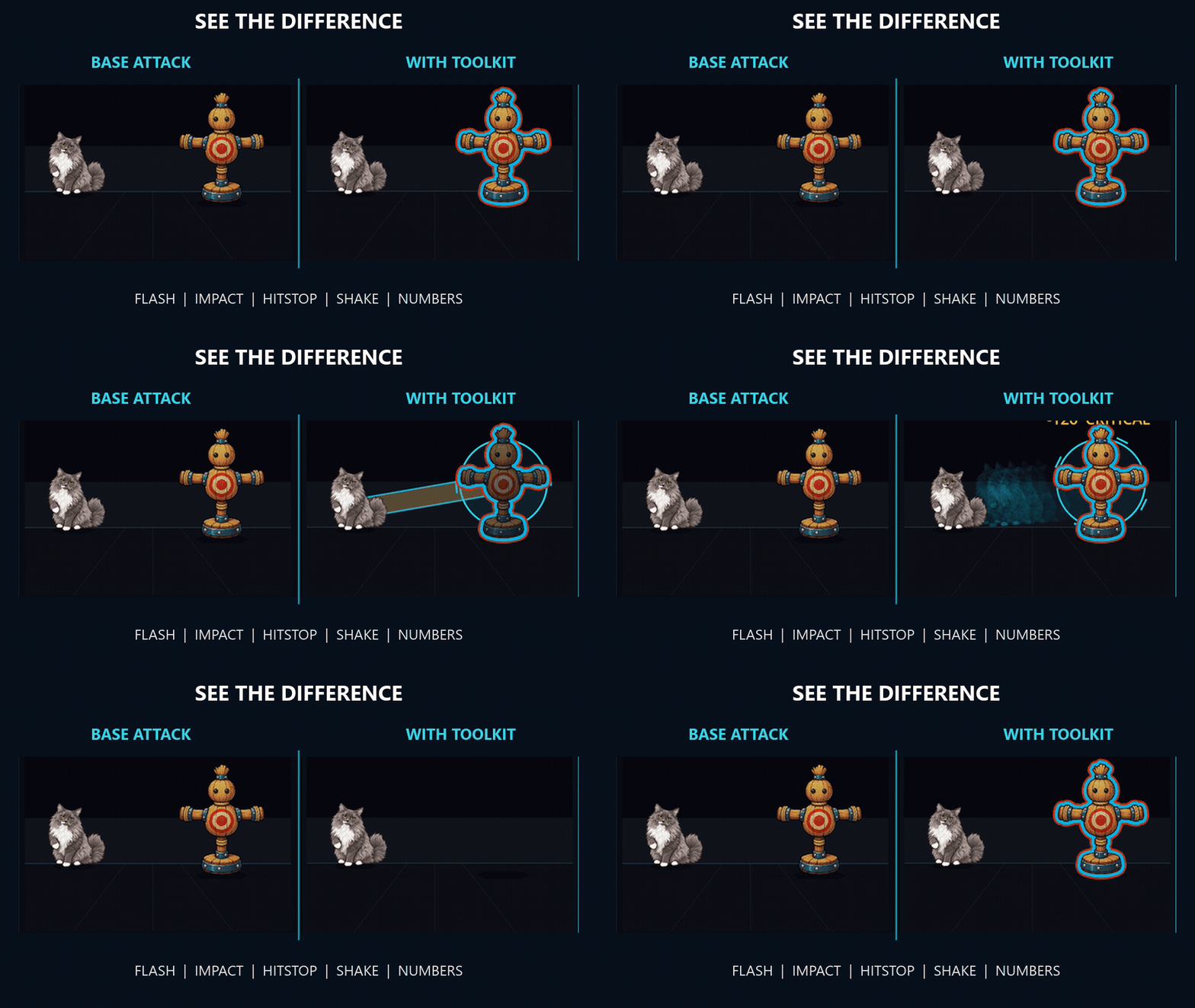
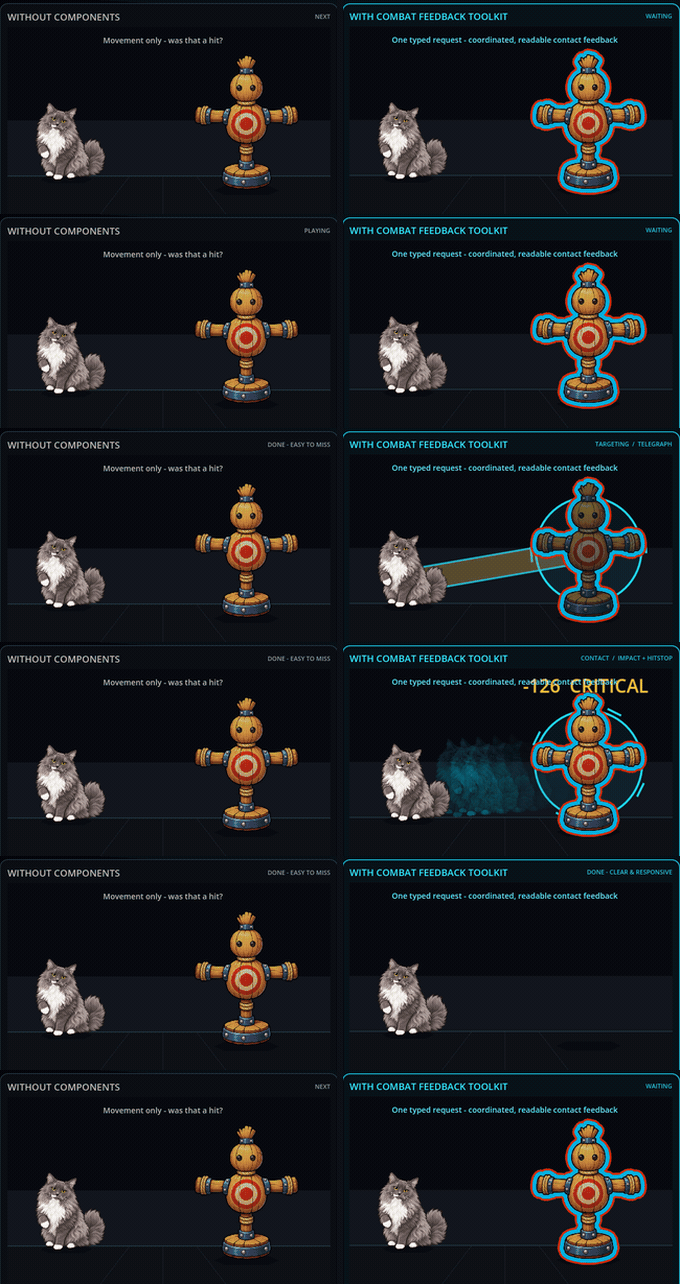 Left: the base attack. Right: the same sprites and base movement, with clear beats for targeting, anticipation, contact, weight, and outcome.
Build the whole player-facing combat beat: warn before damage, identify the target, clarify contact, add weight, and land the outcome.
Combat Feedback Toolkit gives you 15 modular combat-feedback effects for Godot 4.7.1. Add the one feedback layer your game is missing, copy a complete category, or coordinate a six-channel hit recipe - without a required autoload, editor plugin, toolkit-wide singleton, or GDExtension.
- Cover decisions and consequences. Telegraphs and target-state effects help players react before contact; hit, motion, timing, camera, and outcome effects sell what happens afterward.
- Ready-to-instance scenes. Every public effect has a
.tscn, documented Inspector settings, and a focused public API. - Use only what you need. Copy one effect with its documented dependency set, not the whole toolkit.
- Keep your combat code. Call effects from the damage, ability, animation, or state-machine flow you already own.
- See it before integrating it. Every effect is covered by a replayable, isolated category demo.
- Editable source, commercial use. GDScript and shaders are included; the EULA requires no royalties, revenue share, or attribution for shipped End Products.
From decision to consequence: warn, target, strike, react, finish. Start with one missing beat; add the others when your combat needs them.
Find the feedback beat your combat is missing
| Player-facing job | Included effects |
|---|---|
| Warn before damage | Circle, Cone, Line, Rectangle Telegraphs |
| Show selection and state | Outline2D, TargetMarker2D, Silhouette2D |
| Clarify contact | HitFlash2D, ImpactVfx2D, FloatingNumber |
| Show speed and direction | Afterimage2D |
| Add weight | Hitstop, CameraShake2D, CameraKick2D |
| Land the outcome | Dissolve2D |
Make attacks fair before they land - Telegraphs
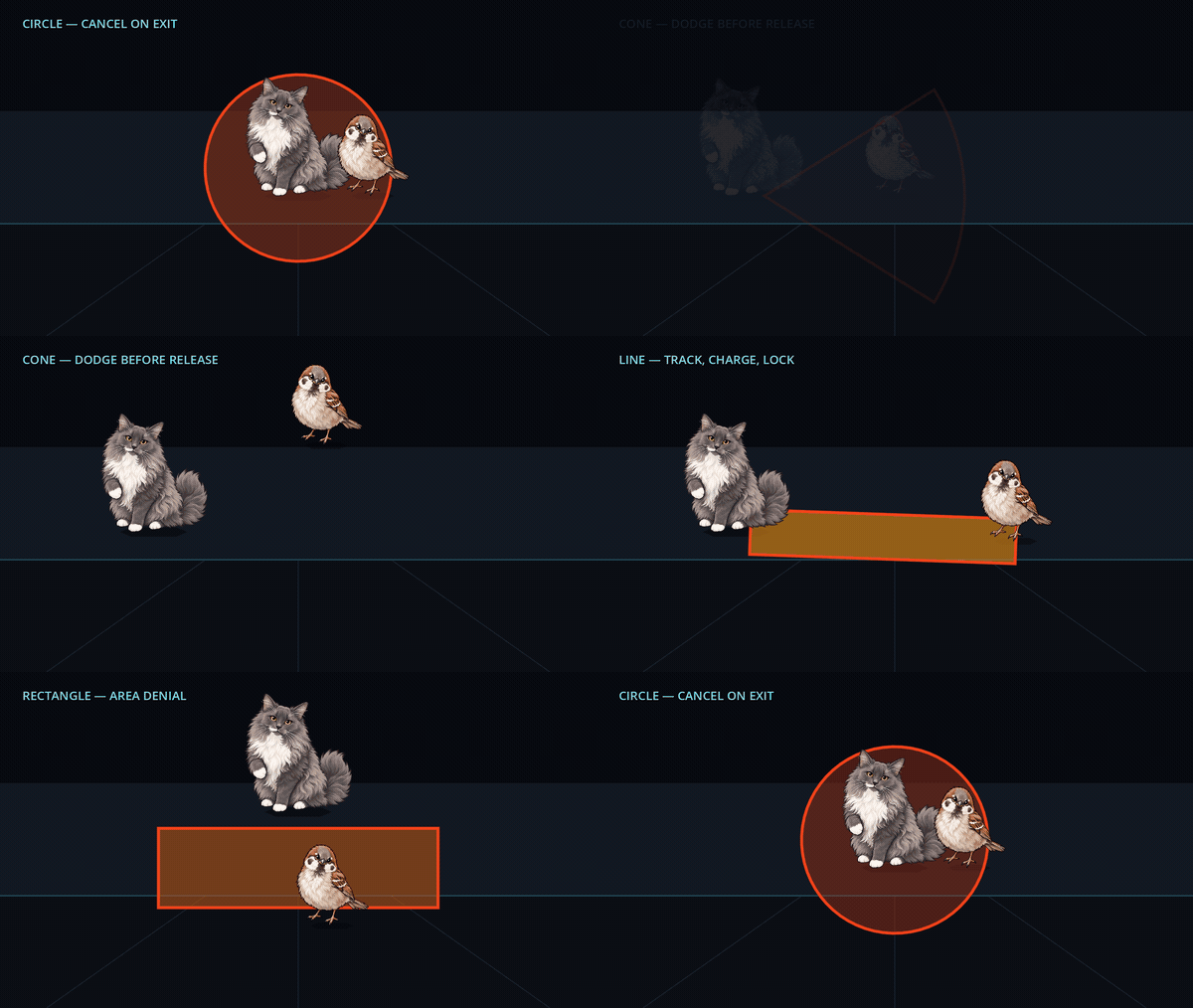
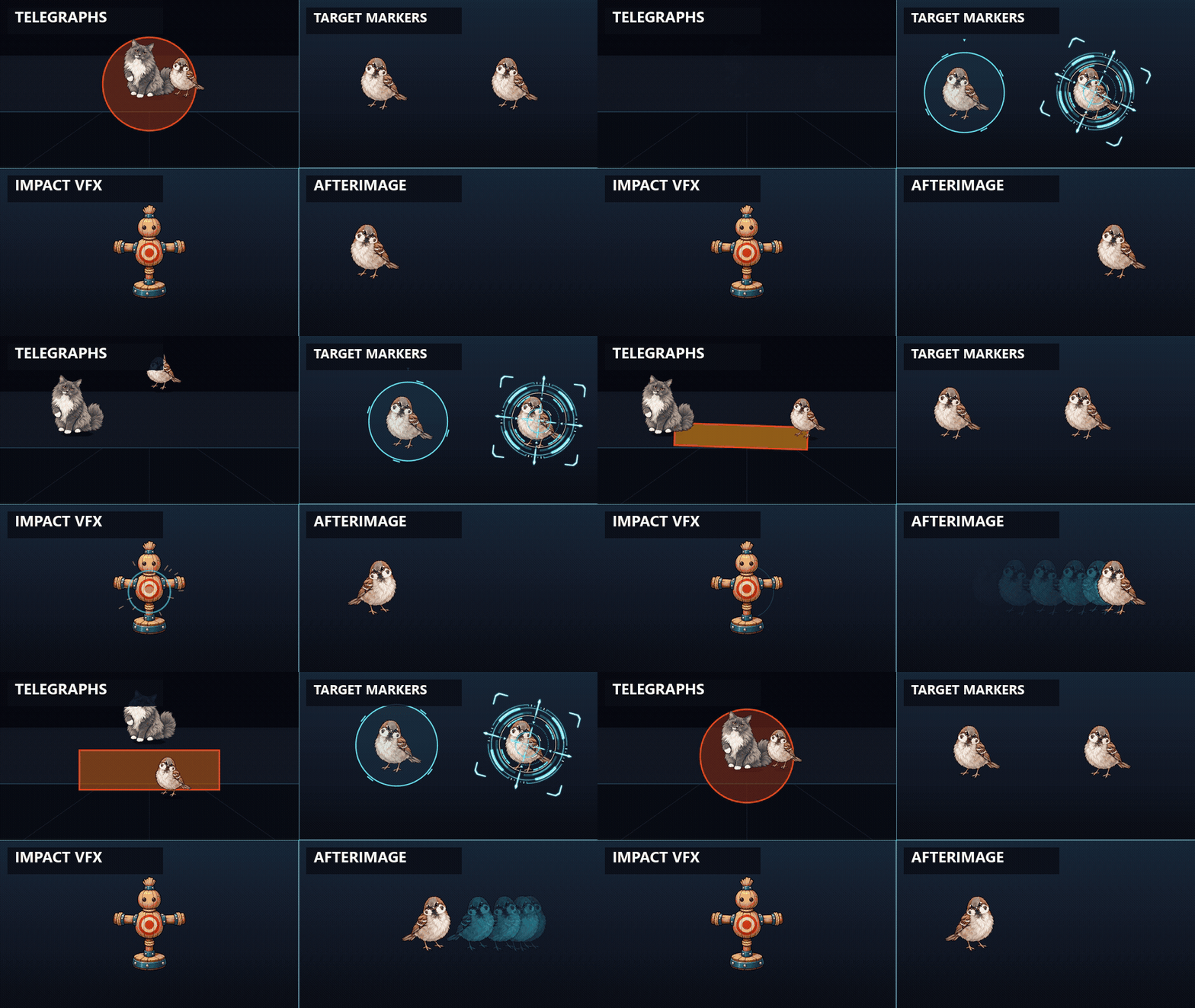
Give players time to make a combat decision before damage lands. The focused demo shows four common patterns - a radial ground slam, a breath cone, a beam lane, and a wide rectangular sweep - each one arming and pulsing down while a passer-by clears the marked area in time. The warning is the whole point: it shows exactly where the danger is and how long is left, so a hit never feels unfair.
Four procedural shapes cover those common patterns:
CircleTelegraph2D- ground slams and radial areas;ConeTelegraph2D- breath attacks and directional sweeps;LineTelegraph2D- beams, charges, and dashes;RectangleTelegraph2D- hallway attacks and centered zones.
All four share the same play, progress, completion, and cancellation lifecycle.
Color and border pulse communicate time remaining; telegraph_completed
can trigger the real attack. Local/global point queries can reuse the visible
geometry, and Line includes parent-space and world-space aim helpers. The shapes
draw through CanvasItem - no textures or shaders required.
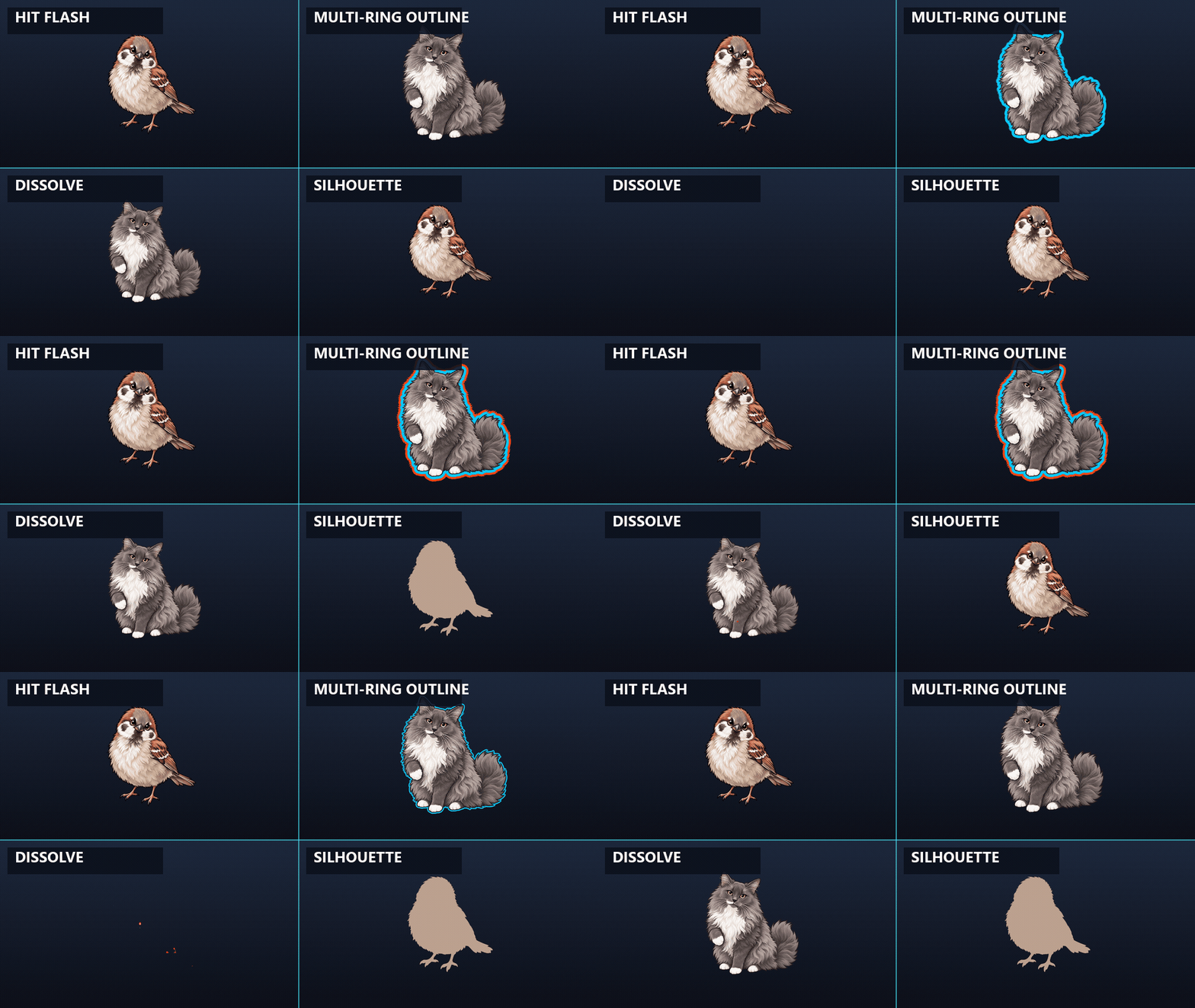
Show more than "selected" - Outline2D
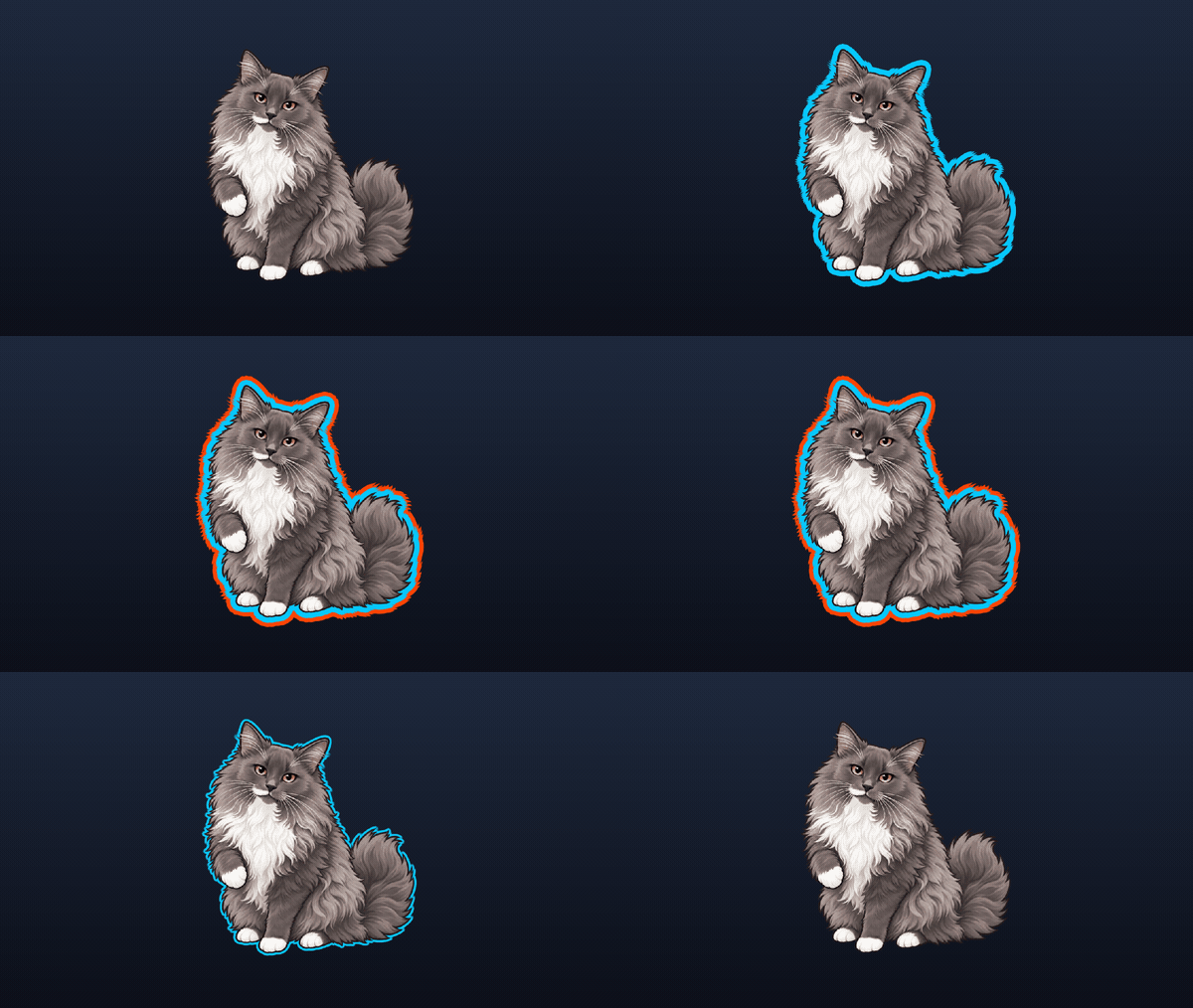
Outline2D draws one to four simultaneous alpha-aware exterior rings. Every ring has its own color and width; optional rings two through four also have individual toggles, so one sprite can communicate several states without swapping art:
- cyan inner ring - selected;
- amber outer ring - elite, hostile, faction, or threat;
- optional extra rings - objective, ownership, buff, or accessibility state.
Watch the cyan band when amber appears: it remains visible as a separate inner ring instead of being replaced. The new close-up clip uses deliberately thicker bands so this core feature still reads after itch.io scales the image.
The included shader backend also keeps the outline aligned with sprite frames, regions, nested atlases, and horizontal or vertical flips.
Make targets and states readable - Target Marker and Silhouette
Procedural reticle or your own texture, both follow the parent
Silhouette preserves source alpha
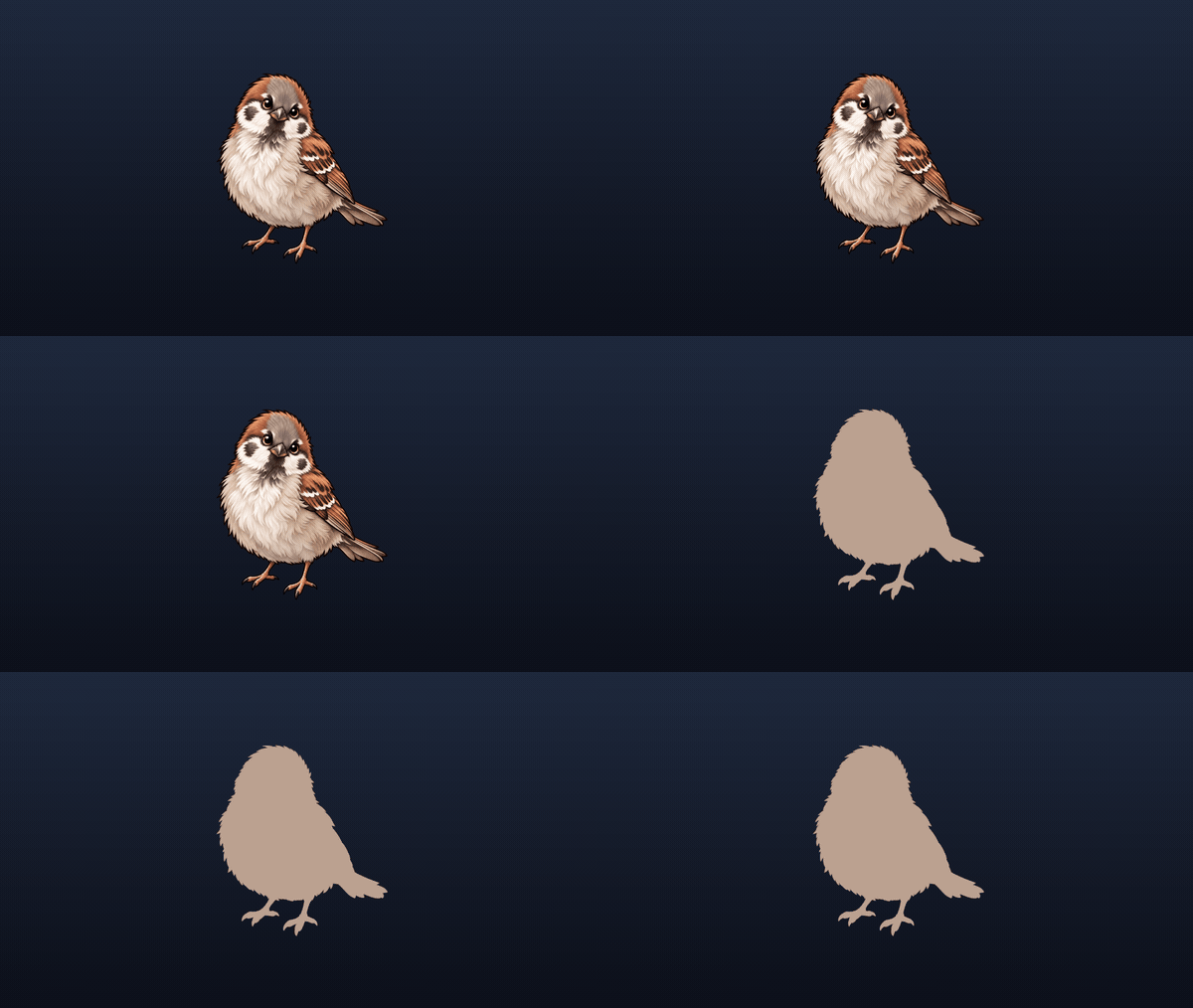
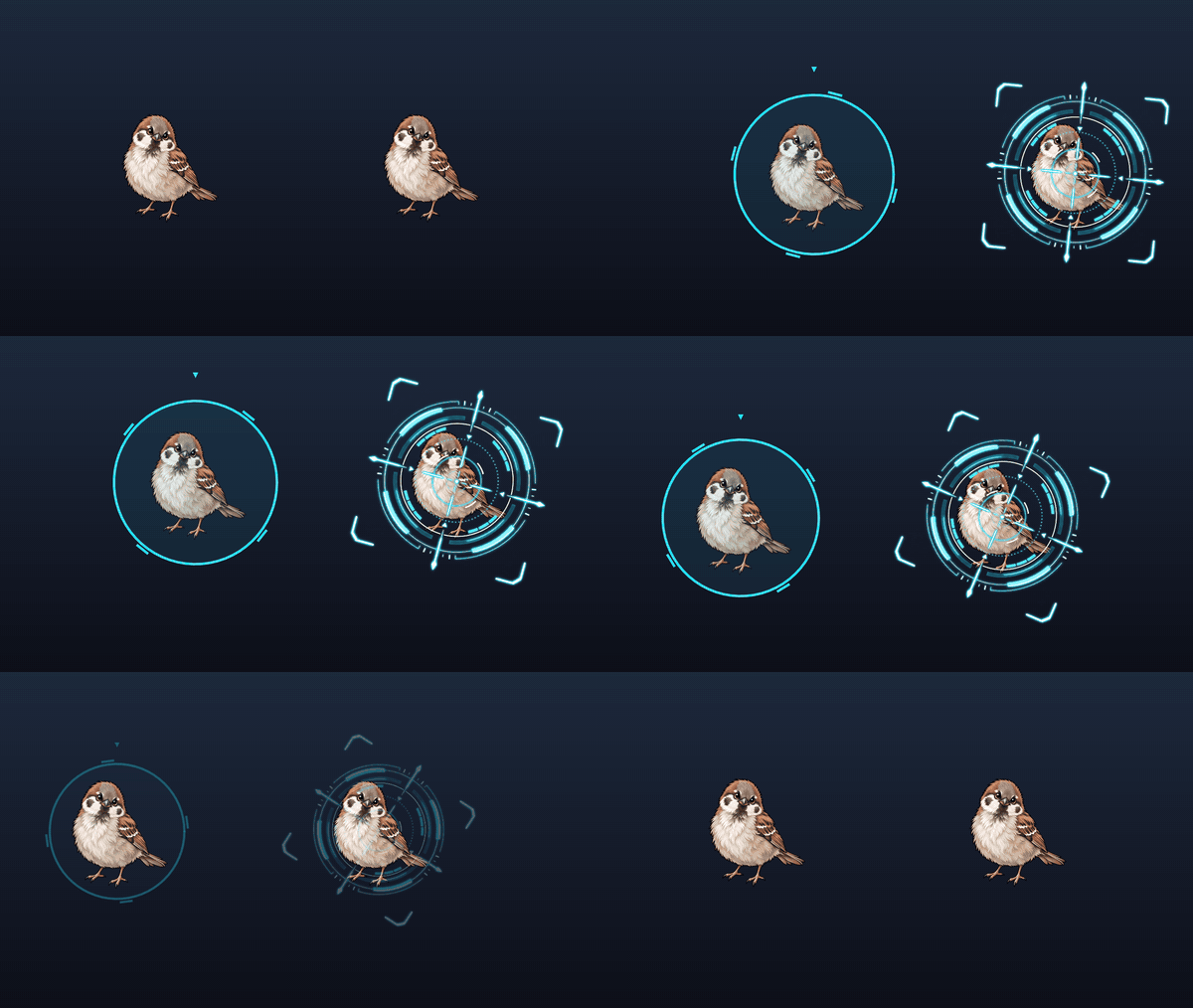
TargetMarker2Danswers "which target is active?" with smooth show/hide, hold, pulse, rotation, and follow behavior. Use the procedural reticle, one custom texture, or an existingSprite2D/AnimatedSprite2Dchild visual. It previews in the editor for fast tuning.Silhouette2Dreplaces sprite RGB while preserving transparency. Use full strength for stealth or hidden identities, or partial strength for team and status tints.
Separate the exact contact frame - Hit Flash and Impact VFX
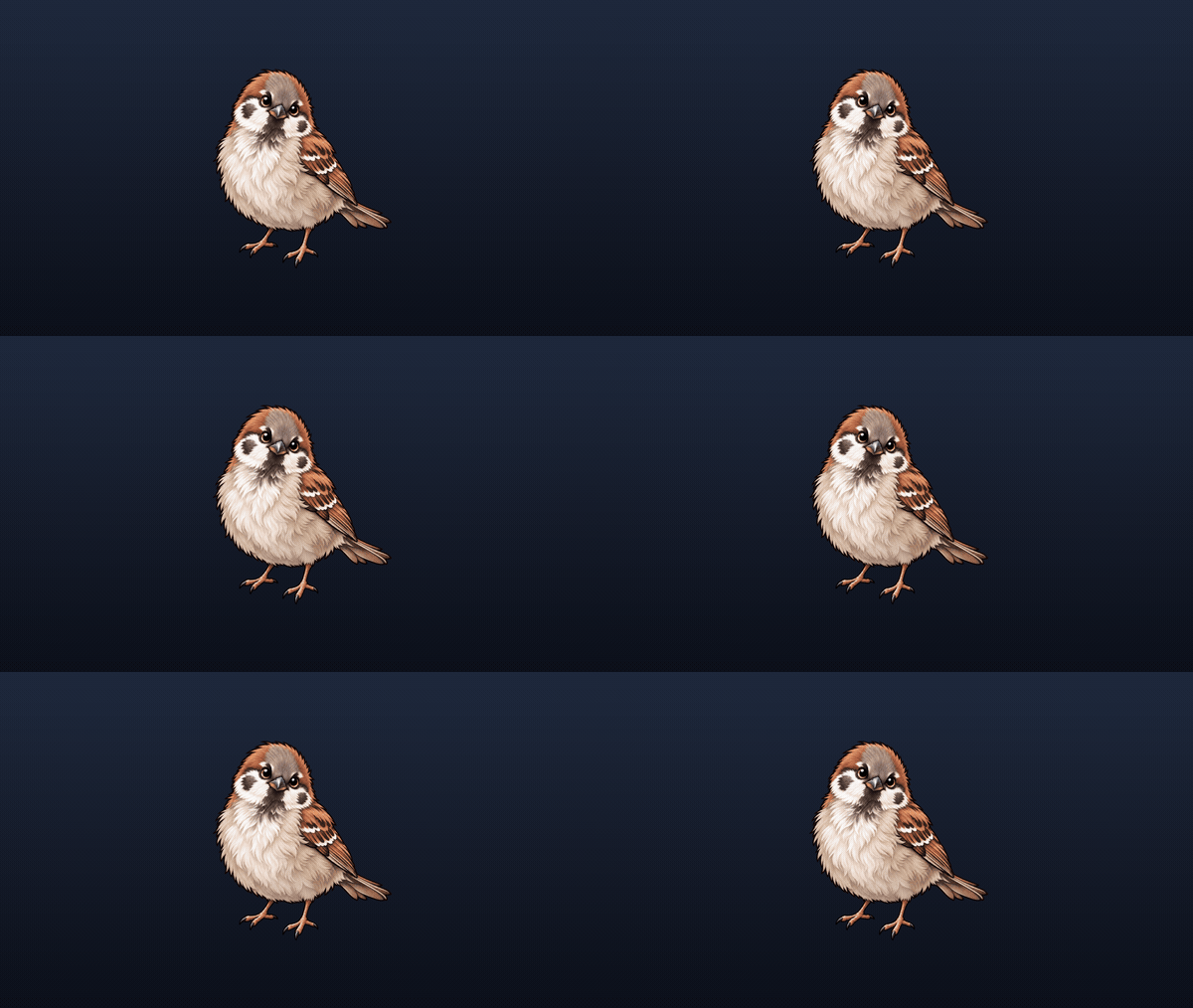
Hit Flash
Radial and directional Impact
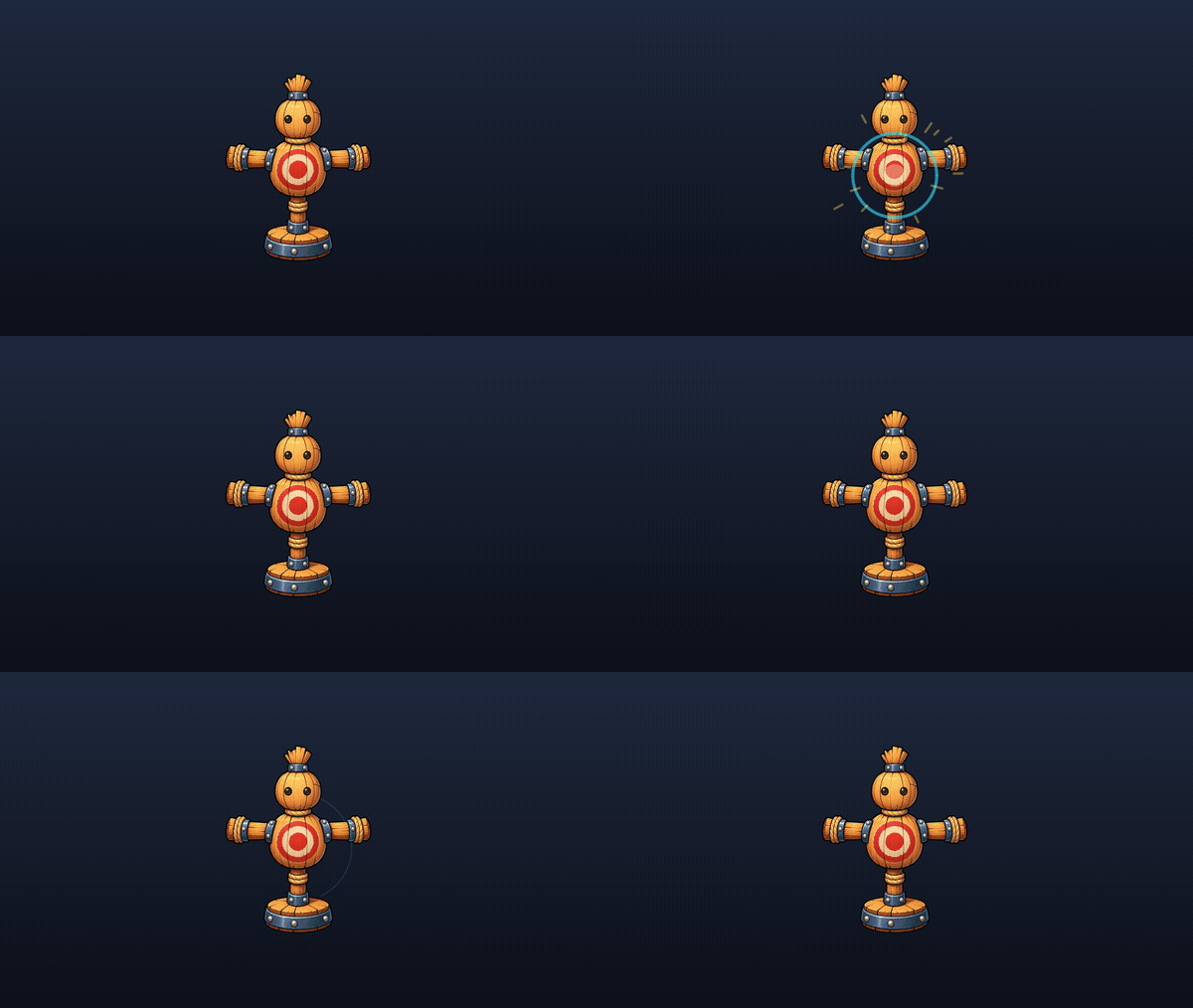
HitFlash2Dmakes the contact frame stand out from the surrounding animation with a fast configurable color response. Tune strength, color, duration, and attack ratio; restart or cancel it safely.ImpactVfx2Dadds a procedural core flash, shock ring, and sparks at the contact point. Use a full radial ring or a forward arc that communicates hit direction - no texture or sprite-sheet dependency.
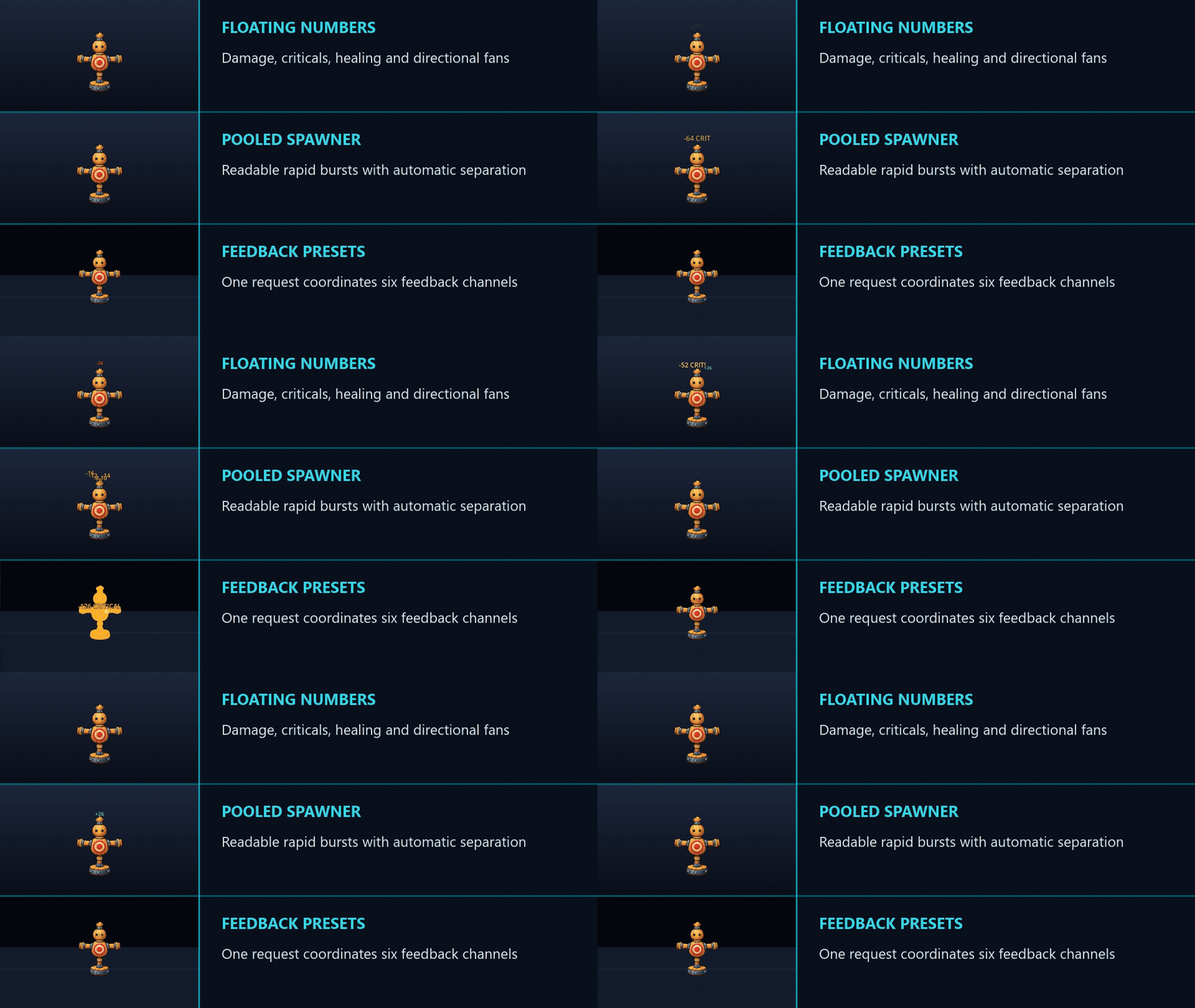
Keep combat text readable - Floating Number
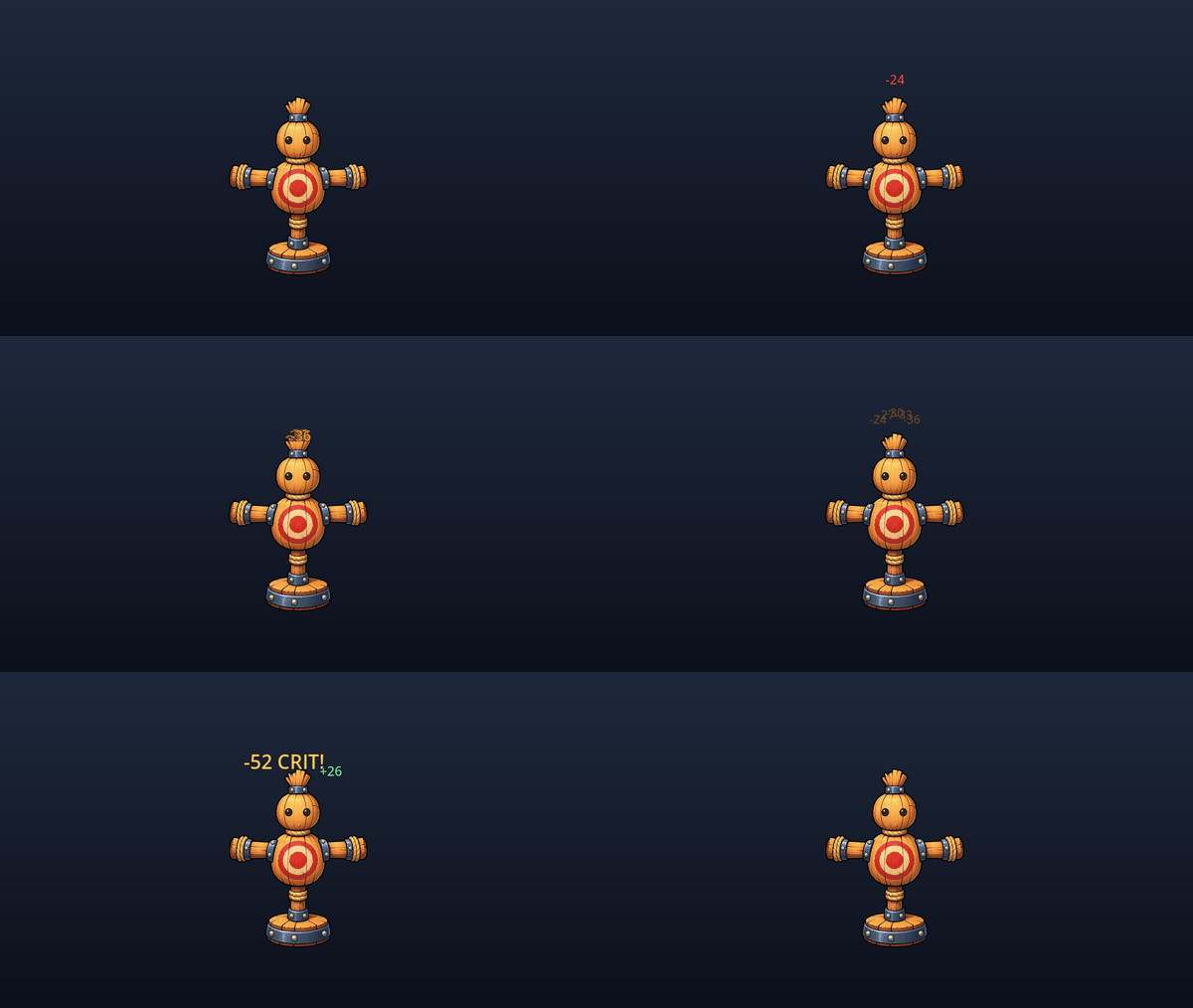
FloatingNumber owns one label, travel, fade, scale pop, and text styling. Display damage, healing, experience, or arbitrary short text such as MISS and BLOCKED. Per-event color, scale, and travel direction make critical hits and healing readable without separate components.
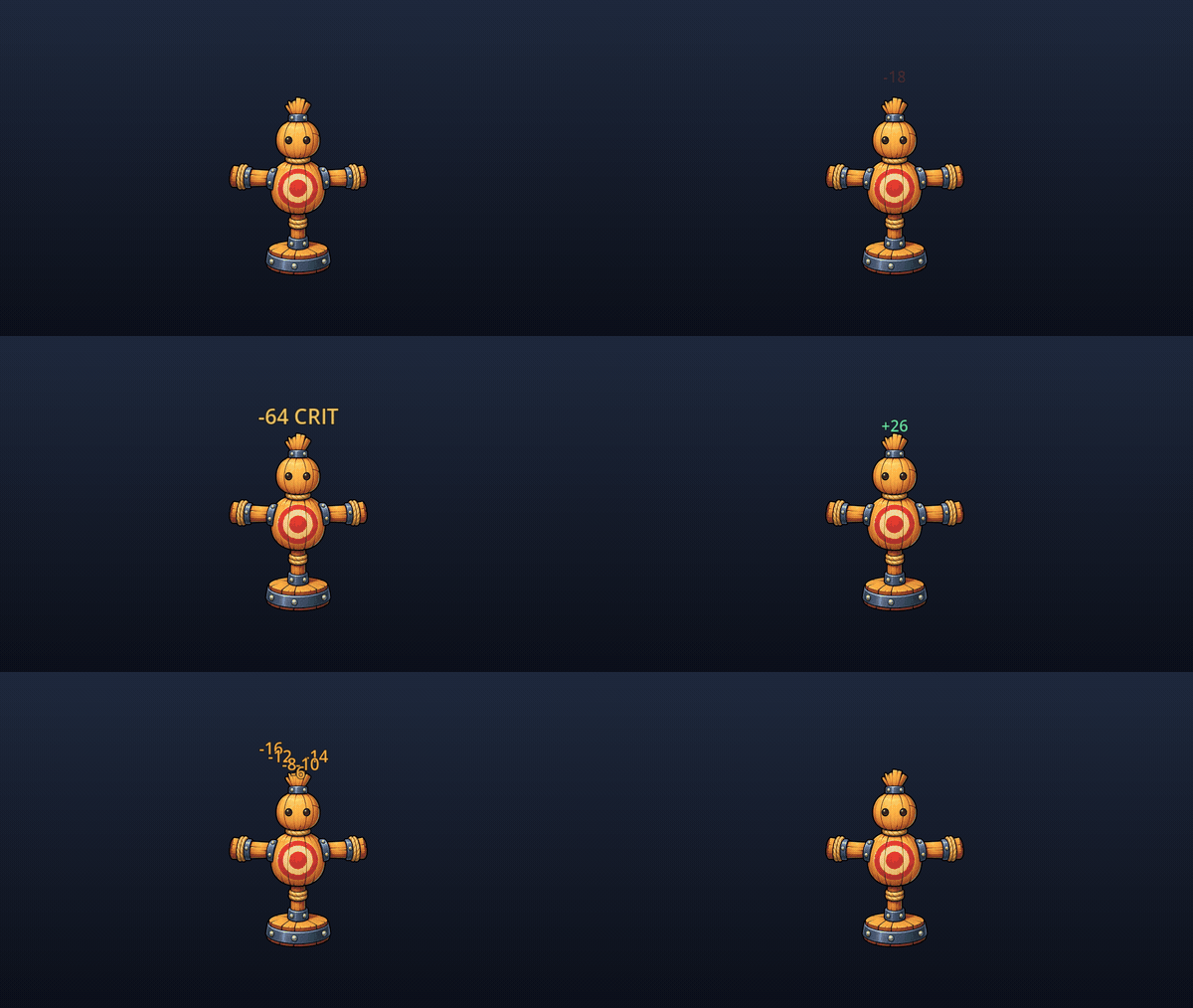
Add the optional FloatingNumberService when combat produces bursts or values must move from world space into a HUD CanvasLayer. It provides a bounded pool, world/viewport-to-overlay conversion, and automatic separation that reduces overlap between rapid nearby events.
Make fast movement readable - Afterimage2D

Afterimage2D leaves pooled snapshots behind a dash, teleport, projectile, or fast attack without changing movement code.
- Time sampling works for steady or mostly stationary trails.
- Distance sampling keeps ghost spacing consistent as speed changes.
- Snapshots due in one frame are distributed along that frame's movement path.
- Pool growth stops at the configured maximum.
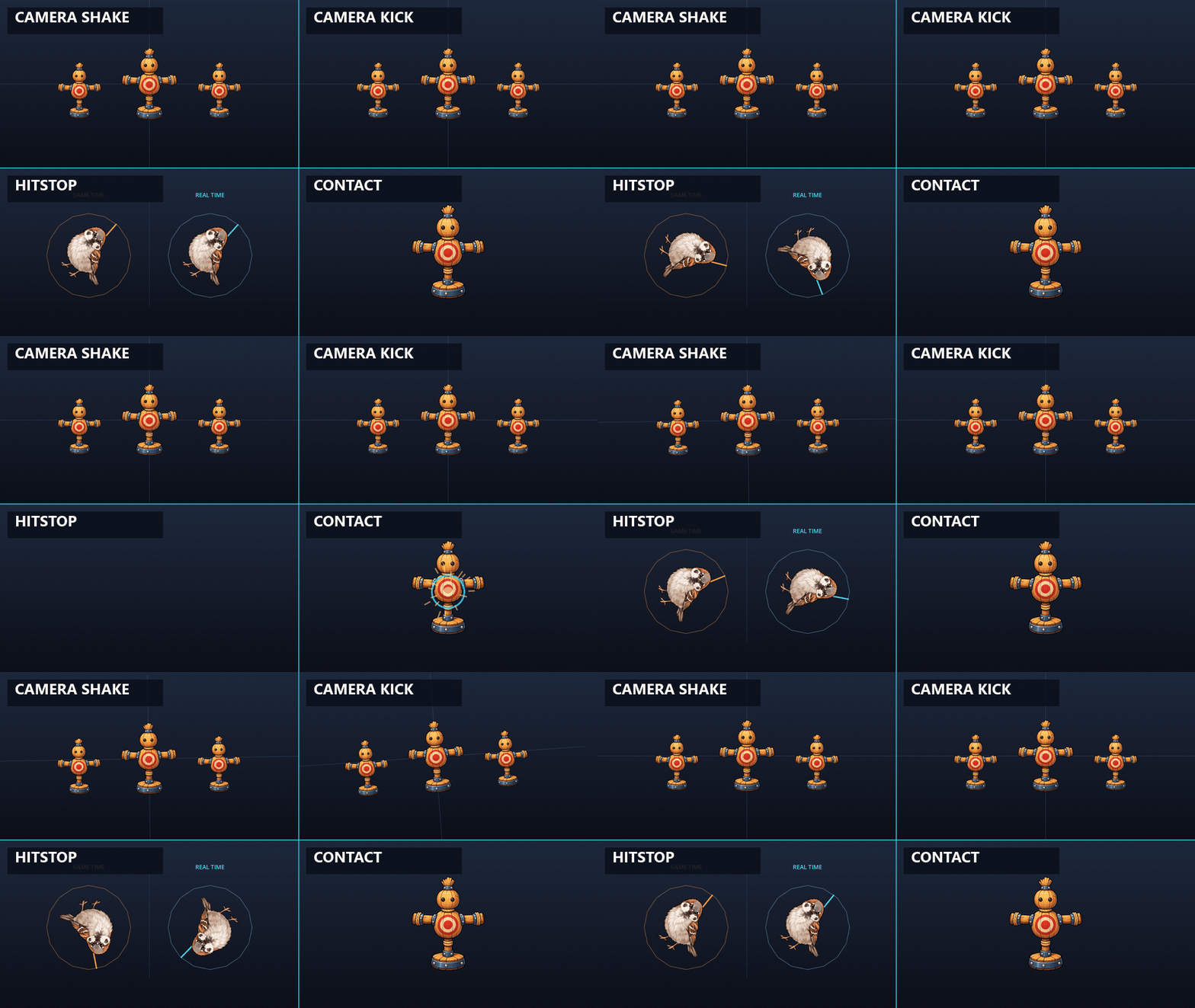
Add controlled weight - Hitstop, Camera Shake, and Camera Kick
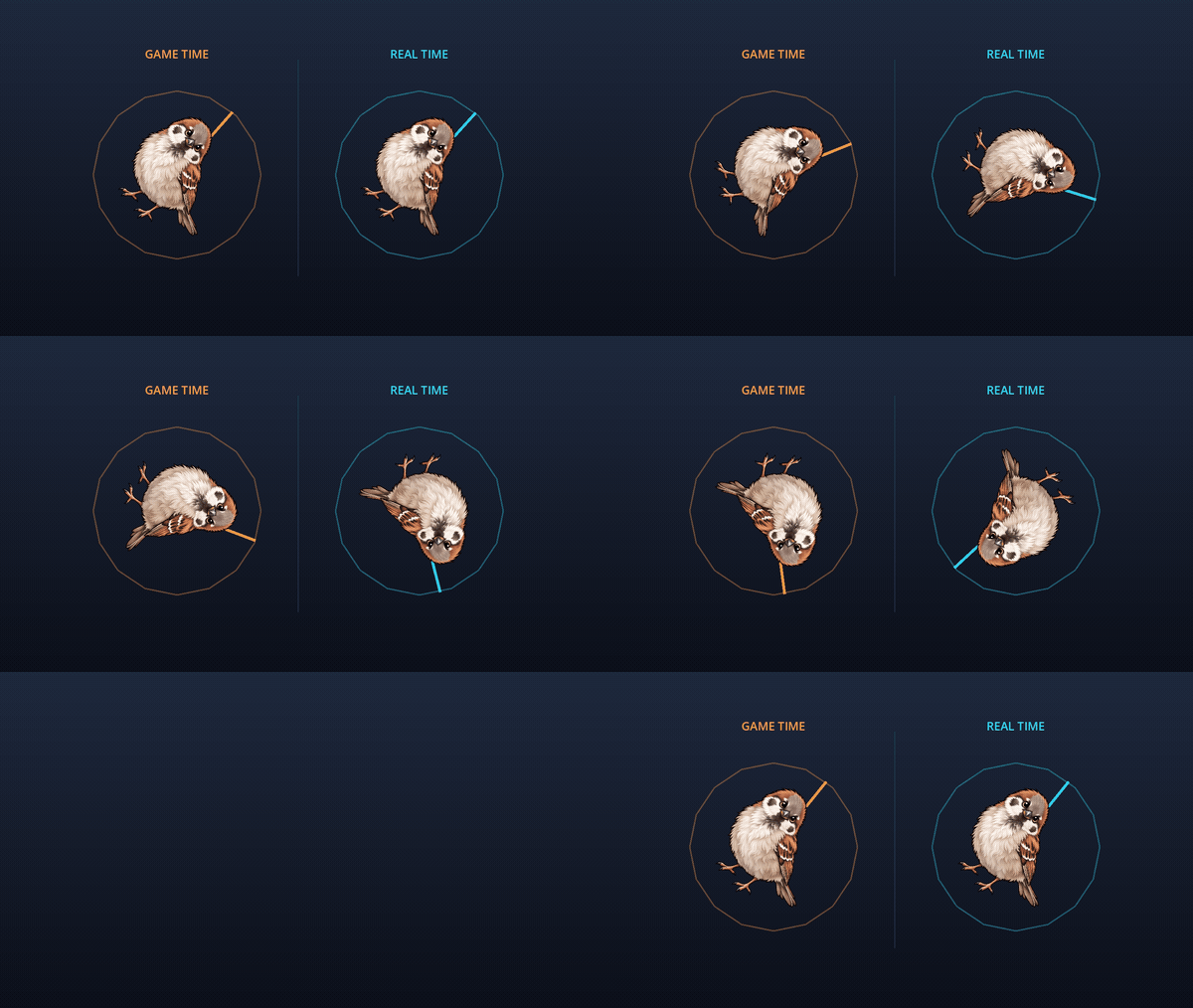
Hitstop briefly slows or freezes the global game clock for a real-time duration. Its multiplier is relative to the scale captured before playback, so a hit during deliberate slow motion still restores that baseline. Restart, Extend, and Keep Longest policies cover repeated hits; an external time-scale write is detected instead of being overwritten later.
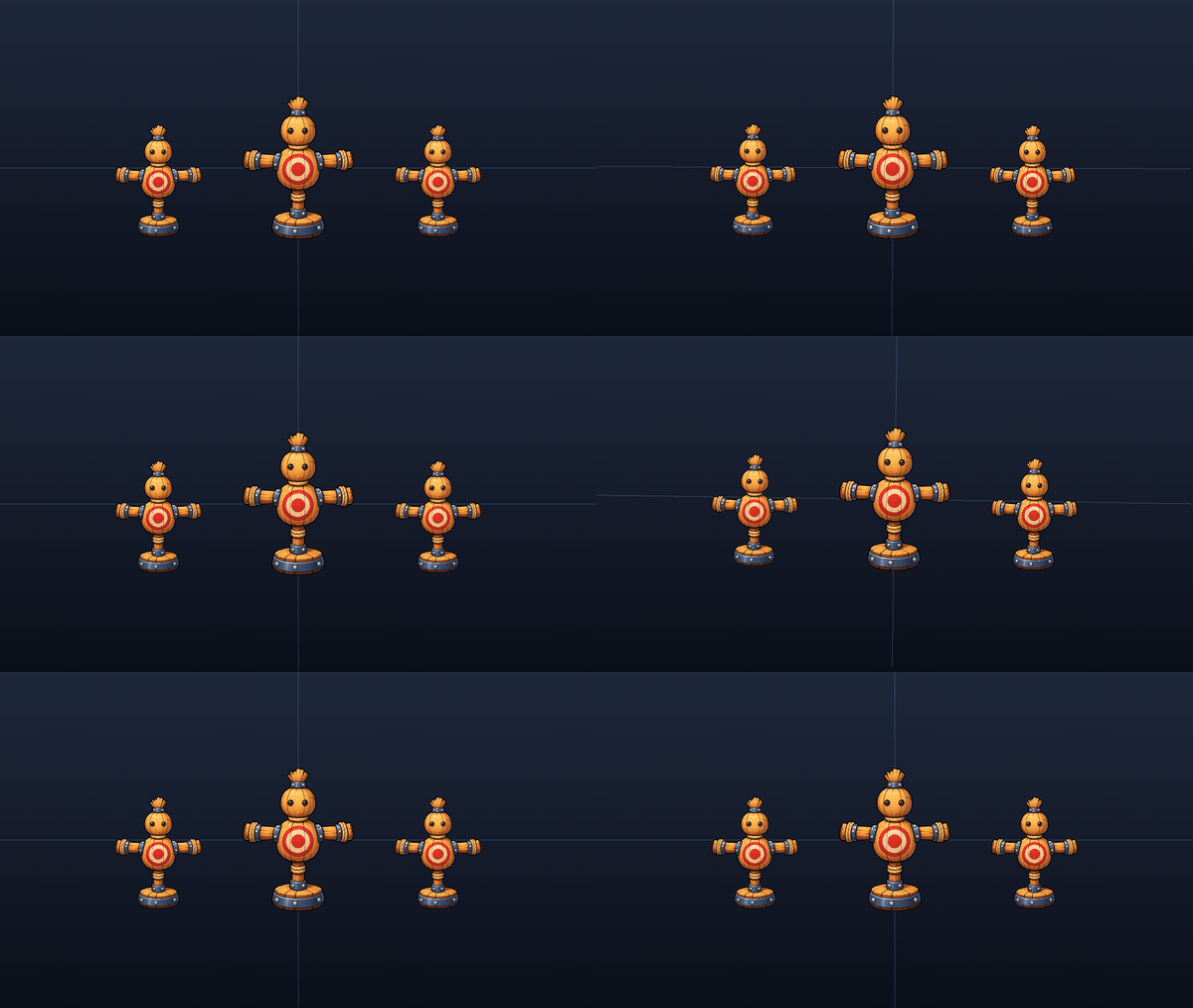
Trauma-based Camera Shake
Directional Camera Kick
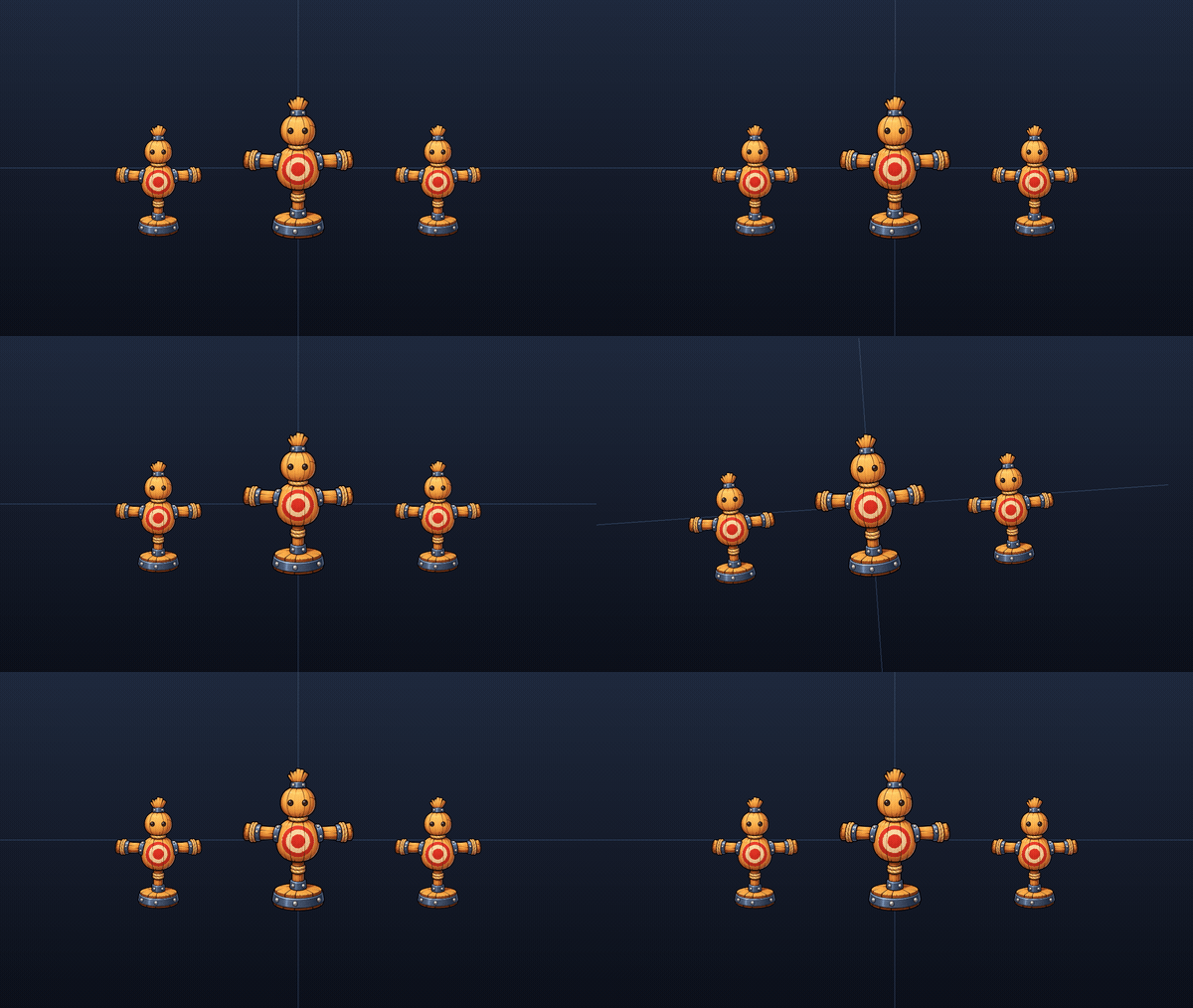
CameraShake2Dprovides smooth translation and roll for impacts, explosions, timed tremors, and sustained rumble. A non-zero seed makes capture and test output repeatable.CameraKick2Dadds an immediate directional translation/roll impulse, then returns through frame-rate-independent exponential recovery. Repeated kicks accumulate only to configured limits.
Each effect owns its own local transform layer, so Shake and Kick can be nested without overwriting each other.
Give defeats and transitions a finish - Dissolve2D
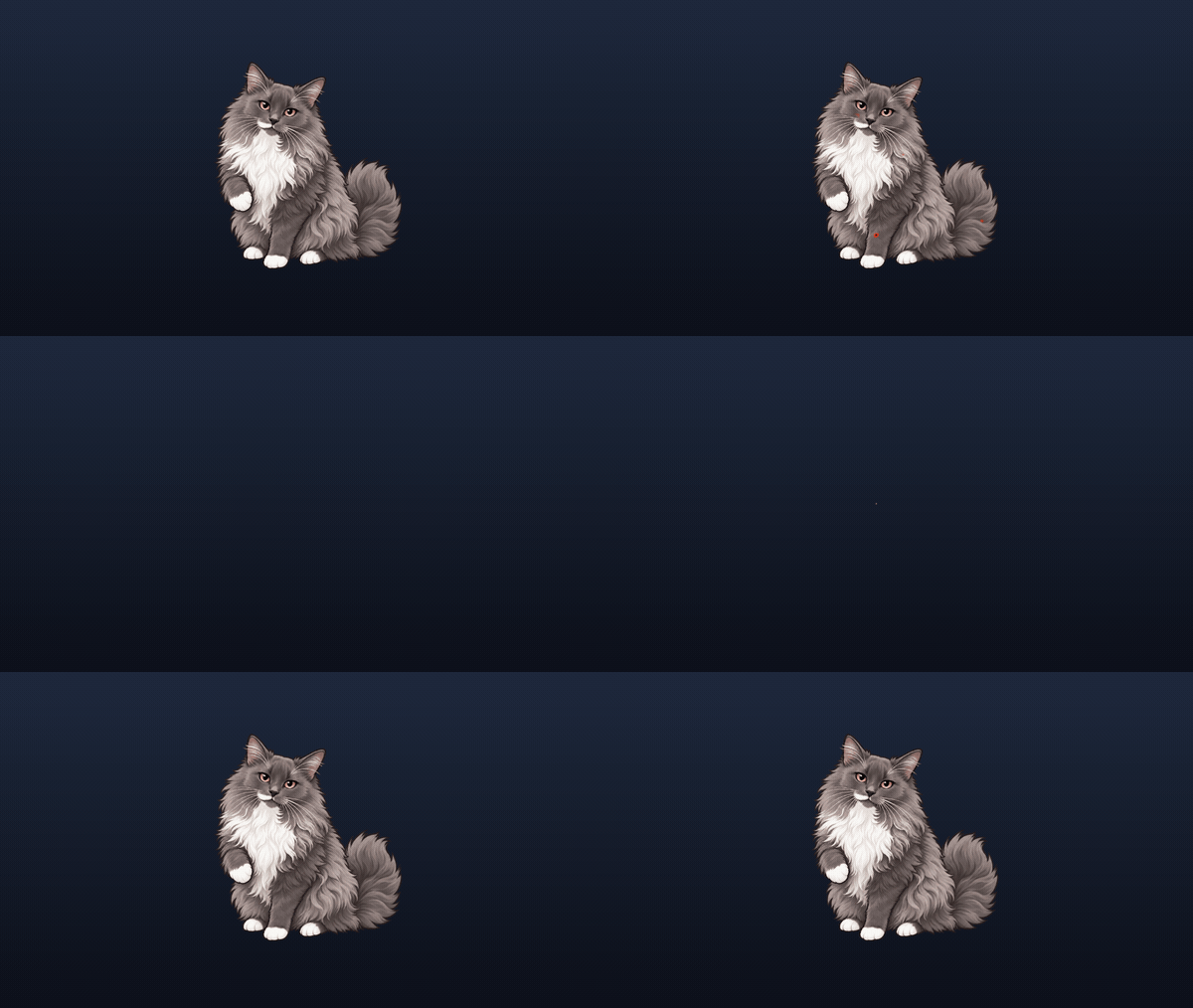
Dissolve2D removes or restores a sprite through a procedural edge - no noise texture required. Use it for defeats, spawn-ins, transformations, teleport exits, and transitions. Play a complete dissolve/restore, drive any intermediate amount, reverse from the current state, or cancel while keeping the visible result.
Six contact channels, one typed request - Optional Coordination
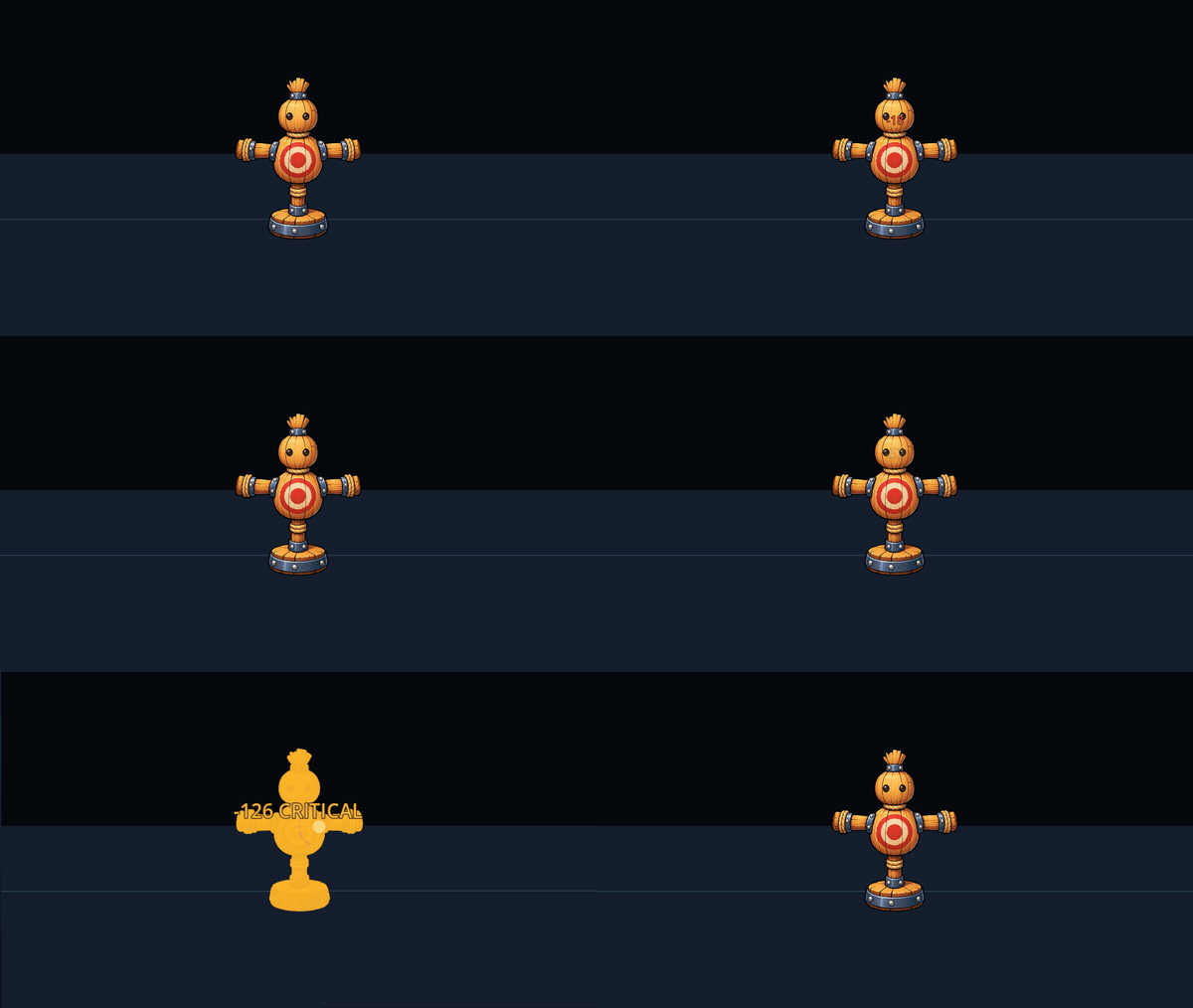
CombatFeedback2D can dispatch exactly six channels from one request:
Hit Flash, Impact, Floating Number, Camera Kick, Camera Shake, Hitstop
@onready var combat_feedback: CombatFeedback2D = $CombatFeedback2D
func present_hit(enemy_sprite: Sprite2D, damage_amount: int, hit_direction: Vector2) -> void:
    var feedback_request := CombatFeedbackRequest2D.new(
        enemy_sprite,
        '-%d' % damage_amount
    ).with_direction(hit_direction).with_impact_point(enemy_sprite.global_position)
    combat_feedback.play_hit(feedback_request)
Store Light, Heavy, Critical, or game-specific recipes in FeedbackPreset resources instead of scattering tuning across combat scripts. Every binding is optional: unavailable channels are skipped safely, diagnostics explain incomplete setups, and play_hit() reports which effects accepted the request.
The coordinator presents confirmed hits; it does not calculate damage, collision, knockback, targeting, animation state, or networking. Telegraphs, target-state effects, Afterimage, and Dissolve remain explicit gameplay calls.
See the toolkit in context - Gameplay comparison
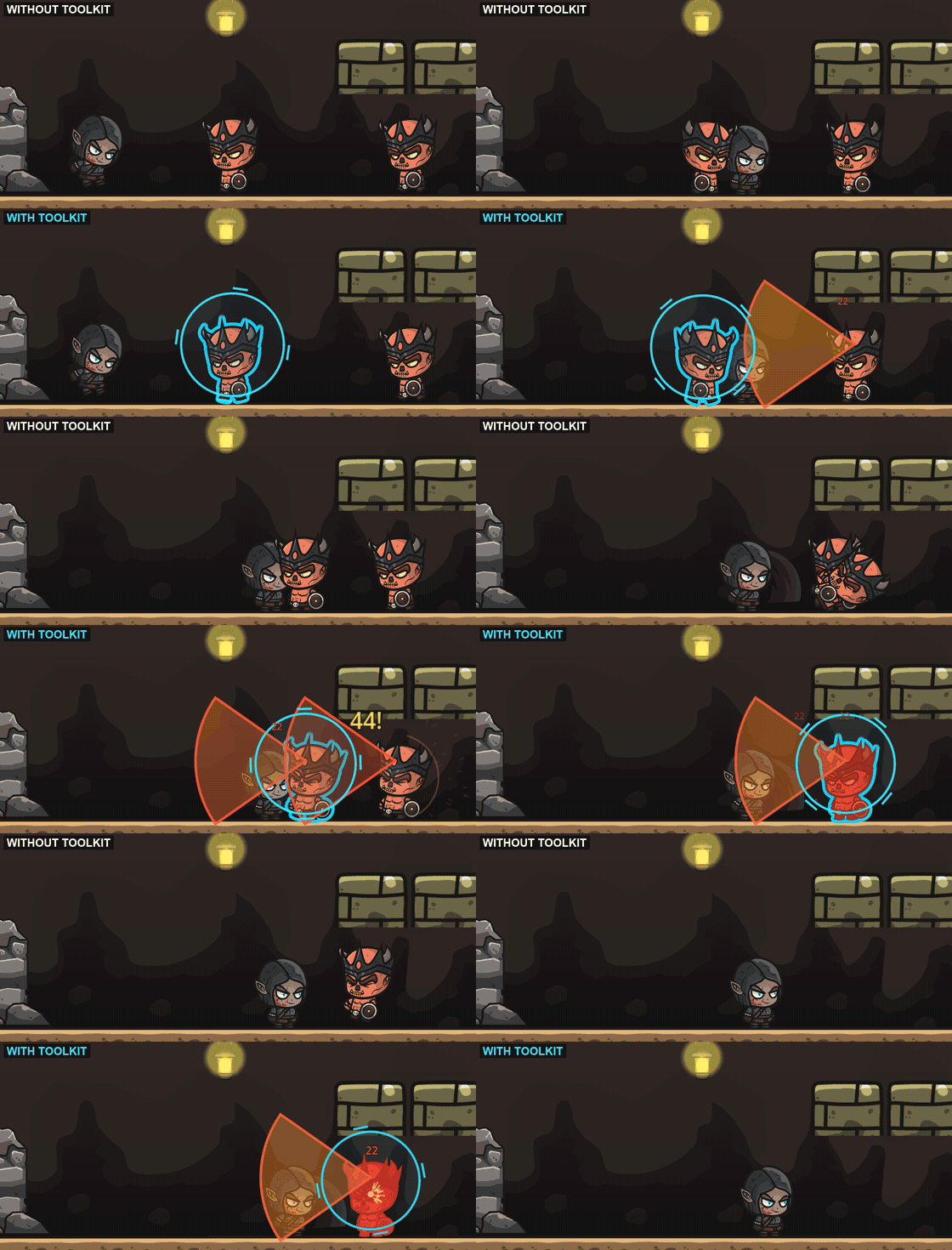
Individual demos above show each effect in isolation. This comparison shows how those same feedback layers work together in a gameplay scene: the same characters, environment, attacks, and movement with the toolkit disabled (top) and enabled (bottom).
The enhanced version combines multiple feedback beats into one continuous combat sequence: target marking and outlining, telegraphs, afterimages, hit flash, procedural impact VFX, floating damage numbers, hitstop, camera shake and kick, and dissolve. Each effect remains modular - use the complete feedback stack or only the pieces your combat needs.
The toolkit does not depend on this art style or these particular characters. Effects are designed to integrate with your own Godot 2D gameplay and existing combat logic.
Note: the character and environment sprites shown in the demonstration GIFs are showcase assets by CraftPix and are not included in the toolkit. Combat Feedback Toolkit provides the GDScript code, shaders, procedural effects, scenes, and documentation.
What is included
15 independent feedback effects
| Category | Effects |
|---|---|
| Anticipation | Circle, Cone, Line, Rectangle Telegraphs |
| Targeting / state | Outline2D, TargetMarker2D, Silhouette2D |
| Contact / readability | HitFlash2D, ImpactVfx2D, FloatingNumber |
| Motion | Afterimage2D |
| Weight / timing | Hitstop, CameraShake2D, CameraKick2D |
| Outcome | Dissolve2D |
Optional workflow helpers: FloatingNumberService, CombatFeedback2D, FeedbackPreset, CombatFeedbackRequest2D, plus Light, Heavy, and Critical starter presets.
Also included: editable GDScript/shader source, ready-to-instance scenes, a controlled plain-vs-enhanced comparison, replayable category demos, detailed category guides, and deterministic random options where repeatable output matters.
Integration contracts - clear before you buy
- Sprite Effects are direct children of their
Sprite2Dand share one supplied shader backend. They stack with each other; an unrelated custom sprite shader needs deliberate composition, a separate render layer, or explicit replacement. - Afterimage is a direct child of the sampled
Sprite2D; Target Marker is a direct child of the markedNode2D. - Camera Shake/Kick require the documented transform hierarchy. Keep camera follow on the outer anchor and allow camera rotation when using roll.
- Hitstop writes global
Engine.time_scale. Prefer one stable instance per battle and coordinate any other slow-motion owner. - Pools are bounded. Tune Floating Number Service and Afterimage limits for the largest expected burst.
- Presentation is not authority. Health, damage, collision, physics, input policy, and network reconciliation stay in gameplay code.
Requirements
- Godot 4.7.1 stable, 2D, GDScript.
- Supplied project configuration: Forward+.
- No required C# toolchain, autoload, external plugin, or GDExtension.
Commercial license, in plain English
Use and modify the source in any number of your own commercial or non-commercial End Products. No royalties, revenue share, or attribution are required. One licensed legal entity does not need separate employee seats.
Redistribution of the reusable source, publication in a public repository, and resale inside an asset pack, template, plugin, SDK, or library are prohibited. The five supplied demo images are example-only and must be replaced before shipping. See the included EULA for the controlling terms and client/contractor rules.
Quick evaluation
- Open
project.godotin Godot 4.7.1. - Press F5 for the plain-vs-enhanced comparison.
- Press Space to replay.
- Open the category demo for the feedback beat your game is missing.
- Copy its documented dependencies, instance the supplied
.tscn, and call its public API.
Start with one missing beat - or build the complete path from warning to aftermath.
Purchase
In order to download this tool you must purchase it at or above the minimum price of $9.74 USD. You will get access to the following files:
Leave a comment
Log in with itch.io to leave a comment.